

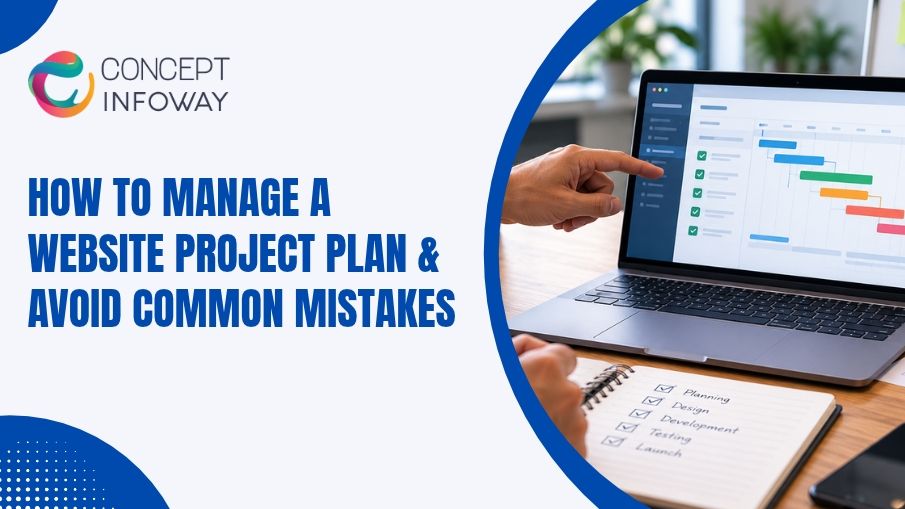
How to Manage a Website Project Plan and Avoid Common Mistakes
A website project plan gives your business a practical way to control scope, deadlines, content, approvals, and launch decisions before a web design project becomes expensive or confusing. Without one, even a talented team can lose time to unclear responsibilities, late feedback, missing content, and technical surprises.
For business owners, marketing managers, and founders in Columbia, SC, and nearby markets, a well-managed plan can make the difference between a website that merely looks attractive and one that supports real business goals.
This guide explains how to build a workable plan, coordinate a professional website design project, avoid common mistakes, and prepare for a smoother launch.
What a Website Project Plan Should Control
A website project plan is more than a list of design tasks. It is a shared operating document that explains what the project must accomplish, who owns each decision, what must be delivered, and how progress will be measured.
Its purpose is to reduce ambiguity before ambiguity creates rework. A website project plan should connect the work being requested to decisions, owners, and measurable launch conditions.
Start With Business Outcomes, Not Design Preferences
Before discussing colors, animations, or page layouts, define the business problem the website needs to solve. A service company may need more qualified consultation requests. An ecommerce business may need a clearer path from product discovery to checkout.
A professional firm may need to communicate credibility and make it easier for prospective clients to understand its services.
Write down the primary conversion action, such as submitting a form, calling the business, requesting a quote, booking an appointment, or completing a purchase. Then identify supporting actions, including reading service information, viewing case studies, downloading a resource, or subscribing to updates.
This distinction matters because a website can look polished while still making the visitor work too hard. If the project team does not agree on the desired user action, design decisions may be evaluated by personal taste instead of business value.
A website project plan starts with the business result the new site needs to support, not the visual treatment alone.
Define Scope Before Work Begins
Scope should identify the pages, functionality, integrations, content responsibilities, design deliverables, technical requirements, and launch expectations included in the project. It should also identify what is outside the current phase.
A basic scope document may address:
- Core pages, such as the home page, service pages, about page, contact page, landing pages, blog, or store sections
- Required functionality, such as forms, search, scheduling, ecommerce features, account areas, or third-party connections
- Content requirements, including copywriting, photography, video, downloadable files, testimonials, and legal or policy content
Scope is not meant to prevent reasonable improvements. It creates a process for evaluating them. A new feature introduced halfway through a project may affect navigation, development effort, testing, content, accessibility, and launch readiness.
Recording that impact helps decision-makers choose intentionally rather than approving additions casually.
Assign Decision Ownership
Every project needs a clear client-side decision-maker, even when several people contribute feedback. If five stakeholders can independently request changes, the project may receive conflicting direction and repeated revisions. Decision ownership keeps a website project plan moving when multiple stakeholders have different preferences.
Identify who approves the sitemap, wireframes, visual design, content, functionality, and final launch. Also establish how feedback will be collected and by what date it must be submitted. A single consolidated review is usually more efficient than scattered comments arriving across email, chat, and meetings.
A website project plan works best when it makes ownership visible. The web team should know who can approve work, and internal stakeholders should know when their input is needed.
Plan Your Website Project for Success
Get a Free QuoteBuild the Website Design Process Around Clear Stages
A reliable website design process moves from strategy to structure, then from structure to visual design, content, development, testing, and launch. The stages may overlap, but skipping the underlying decisions usually creates problems later when changes are harder to make.
A staged website project plan gives teams a shared order for discovery, design, content, implementation, and testing.
Discovery and Requirements
The discovery stage turns general goals into usable requirements. Review the current website, target audiences, important services or products, existing analytics when available, competitors in the relevant market, technical constraints, and internal approval requirements.
For a business serving Columbia, SC, this is also a useful point to discuss local customer behavior.
Visitors may want to confirm service areas, understand how to contact the company, see evidence of local experience, or quickly determine whether the business is a fit. Local relevance should support the user rather than appear as repetitive city references.
Document assumptions during discovery. For example, if a website will connect to a customer relationship management platform, confirm who owns that platform, what access is available, which fields are required, and how submissions will be tested.
A vague integration assumption can become a launch blocker. Discovery helps a website project plan capture requirements that could otherwise surface as expensive late changes.
Sitemap and Information Architecture
The sitemap defines the website’s major pages and their relationships. It should reflect how visitors think about the business, not necessarily how the company is organized internally. A service page may be essential to a prospective customer even if it belongs to a smaller department within the organization.
Check whether each important page has a clear purpose. Ask what question it answers, what action it supports, and how a visitor will reach it.
Avoid creating pages solely because they sound useful if they do not have distinct content or a meaningful role in the customer journey. A sitemap turns the website project plan into a practical structure for content and navigation decisions.
Wireframing Before Visual Design
A website wireframe Columbia SC businesses can use during planning should focus on structure before decoration. Wireframes help review navigation, content hierarchy, calls to action, page sections, forms, and mobile behavior without the distraction of final colors and imagery.
At this stage, ask practical questions: Is the main message understandable quickly? Does the page lead with the visitor’s concern? Is the call to action visible at the right point? Are important trust elements placed where they support a decision?
Does the layout still make sense on a narrow screen? Wireframes let a website project plan resolve page purpose and user flow before visual details distract reviewers.
Approving wireframes before high-fidelity design reduces the risk of debating structure after considerable visual work has already been completed.
Visual Design, Development, and Content Integration
Once structure is approved, visual design can establish hierarchy, brand expression, typography, imagery, spacing, and interaction patterns.
Professional website design should be attractive, but it also needs to support readability, accessibility, performance, and conversion paths. A website project plan should identify when approved designs and content move into development.
Development then turns the approved design into a working website. Content should be integrated during development rather than treated as an afterthought. Real headings, paragraph lengths, images, forms, and product or service details can expose layout problems that placeholder text hides.
A common mistake is approving a design using idealized placeholder copy and then expecting the final content to fit perfectly. In practice, content and layout influence each other. Strong project management leaves room for reasonable adjustments when real materials are added.
Manage Content, Feedback, and Approvals Before They Create Delays
Many website projects do not slow down because of coding. They slow down because content is incomplete, feedback is fragmented, or approvals happen too late.
Treating these responsibilities as project work—not administrative details—makes the schedule more realistic and protects the quality of the final website. Content ownership belongs in a website project plan because missing copy can delay otherwise completed pages.
Use a Website Content Checklist
A website content checklist should track every required content item by page, owner, status, and review date. Include page copy, headings, calls to action, images, alt text, contact details, testimonials, staff information, downloadable files, product data, and any applicable policy content.
For each item, clarify whether it will be supplied by the client, written or edited by the web team, migrated from an existing site, or created through a separate process. Also identify who has the authority to approve it.
Content gaps often appear late because teams focus on major pages and forget smaller but important details.
Contact forms, confirmation messages, page titles, image permissions, footer information, and mobile-specific text can all affect the user experience. A website project plan should track content readiness with the same care as development milestones.
Set a Feedback Protocol
Feedback is valuable when it is specific, consolidated, and tied to an agreed goal. Comments such as “make it pop” or “try something different” may communicate dissatisfaction, but they do not give the design team enough direction to make a useful change.
A stronger review explains the issue: the headline does not make the service clear, the form asks for too much information, the image does not reflect the audience, or the call to action is difficult to find on mobile.
Encourage stakeholders to distinguish personal preference from a problem involving clarity, usability, brand alignment, or business objectives. A shared feedback method prevents a website project plan from being disrupted by conflicting instructions.
Set a review window for each major deliverable. A project plan should account for the time needed to collect internal feedback, resolve disagreements, and obtain final approval. If feedback arrives in multiple rounds from different people, the schedule should reflect that reality rather than assume one quick review.
Control Scope Changes Without Blocking Progress
Change control does not need to be complicated. When a request is added, record what is changing, why it is needed, what other work it affects, and whether the launch plan must be adjusted. Then approve, defer, or reject the request based on business priority.
For example, adding a new service page may require additional copy, photography, navigation changes, internal links, search optimization, design work, and quality assurance. Recognizing the full impact helps prevent the common mistake of treating a substantial addition as a minor edit.
Change control lets a website project plan record a new request without hiding its effect on scope or time.
At Concept Infoway LLC, this type of structured discussion can help businesses connect website decisions to their broader web design, development, and digital marketing goals. The objective is not to add process for its own sake. It is to make trade-offs visible while changes are still manageable.
The global web design market was valued at USD 61.23 billion in 2025 and is projected to reach USD 92.06 billion by 2030, registering a compound annual growth rate (CAGR) of 8.5% during the forecast period (2025–2030).
Avoid Website Project Mistakes with Expert Guidance
Get a Free QuoteAvoid the Technical and Planning Mistakes That Disrupt Launches
A website may appear nearly complete while important technical, operational, or ownership questions remain unresolved. A launch-ready project needs more than approved pages. It needs a controlled transition from development to public use, with testing and responsibilities clearly assigned.
A website project plan should surface technical and approval risks before the team reaches the launch date.
Do Not Leave SEO and Accessibility Until the End
Search optimization and accessibility should influence structure and content from the beginning. Page hierarchy, descriptive headings, meaningful link text, image handling, mobile usability, performance, and clear navigation are easier to address during planning than after every page has been finalized.
Basic search considerations include unique page titles and descriptions where appropriate, logical heading structures, readable URLs, useful internal linking, accurate business information, and content that matches the visitor’s intent. These elements do not guarantee rankings, but they help search engines and users understand the website.
Accessibility work should include more than a final automated scan. Review keyboard operation, contrast, form labels, focus states, heading order, alternative text, and whether important information depends only on color or visual effects.
Requirements and best practices can vary by website context, so businesses should evaluate their situation carefully. Early SEO services and accessibility checks make the website project plan less dependent on last-minute fixes.
Confirm Technical Dependencies Early
List every dependency that could affect delivery: hosting, domains, DNS access, analytics, search tools, email delivery, payment services, scheduling systems, CRM connections, maps, social feeds, plugins, and third-party credentials. Do not assume access will be available when needed.
Domain and hosting access are examples of dependencies a website project plan should confirm well before launch.
Confirm who owns each account and how credentials will be transferred securely. Avoid building an important business function around a tool that nobody internally can administer. Ownership and recovery access matter long after the initial project is finished.
Test With Real User Tasks
Quality assurance should test actions, not just pages. A visitor may need to find a service, submit a form, receive a confirmation, open the website on a phone, complete a purchase, download a document, or contact the business from a local search result.
Task-based testing helps a website project plan judge whether the finished website supports real customer goals.
Test representative devices and browsers, but also test realistic content. Long service names, unusual addresses, error messages, missing images, and incomplete form submissions can reveal problems that a simple visual review misses.
Have someone who was not deeply involved in the build attempt key tasks; fresh users often notice confusing labels and navigation.
Avoid Launching Without a Rollback and Ownership Plan
Before launch, establish who can make the final technical change, who monitors forms and email notifications, and what happens if a serious issue appears.
A backup and a documented recovery approach provide useful protection, although the exact process depends on the website platform and hosting setup. Rollback responsibilities should be written into the website project plan rather than improvised during an incident.
Do not treat launch as the end of the project. Confirm who will update content, review inquiries, maintain software where applicable, monitor performance, and request future improvements. A website is an operational business asset, not a one-time brochure.
Use a Website Launch Checklist to Make the Final Decision
A website launch checklist creates a final quality gate. It should help the team decide whether the website is ready, what risks remain, and who is responsible for each open item. Checking boxes is not enough if nobody evaluates the impact of an unresolved issue.
A final quality gate gives the website project plan a clear basis for deciding what is ready.
Review Content and User Experience
Confirm that the approved content is present and accurate. Check contact details, service descriptions, calls to action, forms, images, links, downloads, footer information, and mobile layouts. Read the pages as a customer would rather than only reviewing them in an editing interface.
The website project plan should assign content approval to someone who can verify facts and user-facing details.
Look for small inconsistencies that reduce trust: different phone numbers, outdated team information, broken links, mismatched capitalization, unclear button labels, or a form that asks for information the business does not actually need.
Review Technical and Search Essentials
The technical review should include forms, notifications, redirects where relevant, page loading behavior, responsive layouts, browser compatibility, security settings appropriate to the platform, analytics implementation, and integrations.
The exact checks will depend on the site and tools involved. Technical sign-off in a website project plan should include working integrations and reliable conversion tracking.
For search readiness, review crawlable page content, titles, headings, URLs, internal links, image descriptions where appropriate, and local business information. If an existing website is being replaced, identify important URLs and plan appropriate redirects or monitoring so valuable visitor paths are not abandoned without review.
Decide What Must Block Launch
Not every imperfection should delay publication. A typo, a future blog idea, or a minor visual preference may be handled after launch. A broken lead form, incorrect phone number, missing critical service page, failed payment function, or serious mobile usability issue generally deserves higher priority.
Use a simple risk framework: critical issues block launch, high-impact issues require an explicit decision, and low-impact improvements can enter a post-launch backlog.
This keeps the team from either launching recklessly or postponing indefinitely for perfection. A website project plan must distinguish minor polish from defects that prevent critical user tasks.
Plan the First Weeks After Launch
Monitor the actions that matter to the business. Review form submissions, calls, search visibility, error reports, user behavior, and customer or staff feedback where those data sources are available.
A change in traffic or leads should be interpreted carefully because results can be affected by seasonality, campaigns, market conditions, tracking setup, and many other factors. Post-launch monitoring belongs in the website project plan because issues can appear only after real traffic arrives.
Create a prioritized improvement list rather than making random changes. If visitors reach a service page but do not understand the next step, improve the page’s message and call to action. If users abandon a form, review its length, instructions, error handling, and technical delivery.
A launch is the beginning of learning. The strongest website project plan includes a clear path for reviewing evidence and improving the website over time.
Planning a Website Project? Talk to Our Experts Today
+1 832 290 9522Wrapping Up
Managing a website project plan well means controlling decisions before they become expensive rework. Define the business outcome, establish scope, assign approval ownership, confirm content responsibilities, review wireframes before visual design, address technical dependencies early, and use a website launch checklist that tests real customer tasks.
The most effective process is not necessarily the one with the most meetings or documents. It is the one that makes expectations visible, keeps feedback organized, and helps the team make informed trade-offs.
If your business needs professional website design or a clearer website design process in Columbia, SC, Concept Infoway LLC can help evaluate the project requirements and connect design, development, usability, and digital marketing considerations in a practical plan.
A clear website project plan helps the business finish with accountable decisions and a site ready for daily use.
Before approving your next project, ask one final question: does every major decision have a clear owner, a defined purpose, and a way to verify that it supports the customer and the business? If the answer is yes, your website project plan is doing its job.
FAQs - Website Project Plan
A website project plan defines the project goals, scope, pages, functionality, responsibilities, approvals, content, testing, and launch requirements. It keeps stakeholders aligned and makes changes easier to evaluate.
It should be detailed enough to control decisions without becoming difficult to use. Most plans need goals, scope, milestones, owners, dependencies, review dates, risks, and launch criteria rather than a fixed page count.
Create wireframes after discovery and the sitemap but before final visual design. This lets the team review navigation, content hierarchy, calls to action, forms, and mobile structure before visual work becomes expensive to revise.
Track copy, headings, calls to action, images, alt text, testimonials, contact details, downloads, product or service information, approvals, and page owners. Include smaller items such as form messages and footer content.
Common mistakes include unclear scope, too many decision-makers, late content, fragmented feedback, unplanned features, missing technical access, and testing only the desktop design instead of realistic customer tasks across devices.
Review content accuracy, links, forms, notifications, mobile layouts, browser behavior, redirects, analytics, integrations, performance, accessibility basics, security settings, backups, ownership, and post-launch monitoring before going live. A website project plan should connect launch checks to owners and a documented response if something fails.
Yes. A web design company can help define requirements, organize the sitemap and wireframes, coordinate content, manage approvals, address technical dependencies, test the website, and prepare a practical launch process for your business.